From prototype to production, on one board
Community edition ‐ Free to start
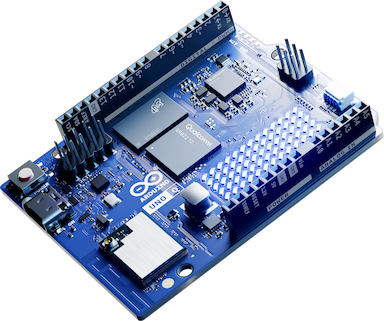
The Arduino® UNO™ Q combines a Linux® application processor and a real-time MCU on one board. Powered by Qualcomm's Dragonwing™ QRB2210 processor running a full Debian-based Linux environment, paired with an STM32U585 MCU running Zephyr, the UNO Q is available with 2GB or 4GB of RAM and 16GB of onboard storage a flexible dual-core platform built for prototyping, edge applications, and advanced IoT development. The FoundriesFactory™ platform handles everything else with container-based deployment, remote updates, and fleet management. Free to start on Community Edition, with a direct path to production.
What Community Edition enables today
Four concrete capabilities you get from day one, without a sales conversation. Free, no credit card, no time limit.
Build with containers
Package your application as a Docker container and deploy it to a Linux device through FoundriesFactory. Containers handle your application logic; an attached MCU can handle real-time tasks alongside it.
Deploy remotely, not by hand
Push updates to your devices from anywhere. No re-flashing, no physical access needed.
CI/CD for embedded
Tie application releases to a CI/CD pipeline. Every commit can build, test, and deploy automatically.
Manage devices and teams
Add devices to a factory, invite collaborators, and track what's running where. Useful from device number two onwards, and the same dashboard scales to a fleet of thousands.
When you're ready for production
At some point, a side project becomes a product. FoundriesFactory is the same platform, all the way through.

Updates for the product's lifecycle
OTA updates aren't a separate system you bolt on; they're how FoundriesFactory works from day one. A device deployed in 2026 can still be safely updated in 2036.
Fleet management at any scale
Manage two devices or two hundred thousand from the same dashboard ‐ with role-based access, deployment targets, and release channels.
Resources
See FoundriesFactory in action
Short, focused walkthroughs of the platform that powers the UNO Q in production.
Prototype quickly with Arduino App Lab
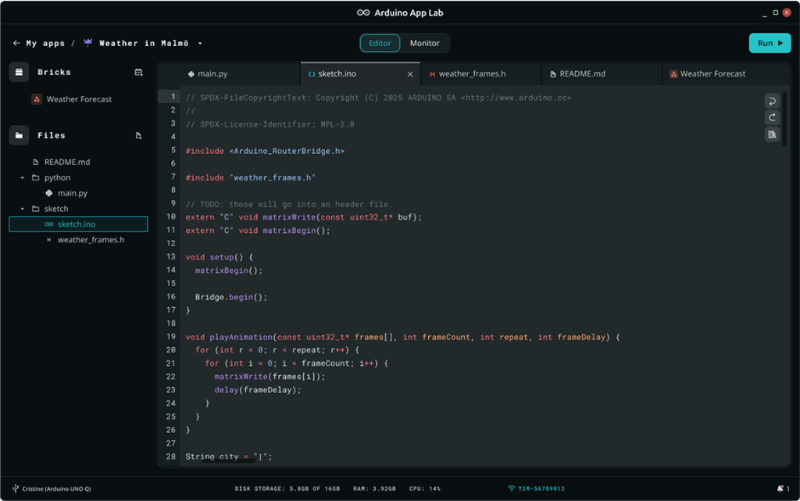
Arduino App Lab is the easiest way to get familiar with the UNO Q board itself. It comes pre-installed and bundles examples, pre-built Bricks, and a visual editor for combining Arduino sketches, Python, and AI models. When you are ready to move from prototype to managed production, FoundriesFactory takes over.
Documentation and getting started
FoundriesFactory and Arduino UNO Q getting started
Short, focused walkthroughs of the platform that powers the UNO Q in production.
FoundriesFactory documentation
Full platform reference for CI/CD, OTA, fleet management, and security.
Arduino UNO Q hardware guide
Board specs, pinout, peripheral setup.
Arduino App Lab overview
Features, supported platforms, and download.
App Lab documentation
Setup guides, Bricks library, CLI reference.
Join the FoundriesFactory community
Create a factory in a few clicks, connect your UNO Q, and deploy your first application. Community Edition includes everything you need to go from prototype to production on the same platform.
- Applications development using Docker containers implemented through CI/CD workflows
- Local or remote device management
- Fleet management from a single dashboard
- Local and over-the-air application deployment, management, and updates